User Guide
Open sequencer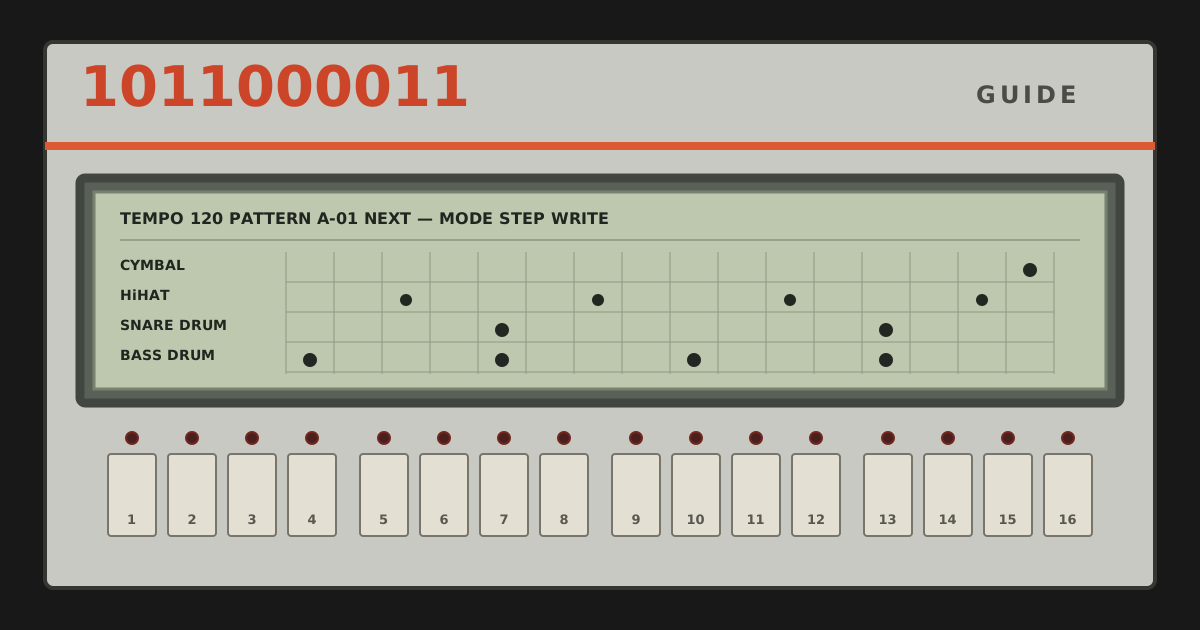
01 / Start the machine
Hear the first bar
The first included preset is ready when the app opens. Press Play once to let the browser start its audio system. Play becomes Pause while the sequence runs; Pause holds the current position, while Stop ends playback and returns to step 1.
Transport
The LCD is the running report: it shows the active pattern, the selected voice, programmed hits and accents, and the moving play position. Audio or storage notices also appear there instead of shifting the control panel.
02 / Write a pattern
Select a voice, then place its hits
Press Instrument. The sixteen main keys become a voice map; their abbreviations match the LCD and mixer. Choose a key—BD1 for Bass Drum 1, SD1 for Snare Drum 1, CH for Closed Hi-Hat, and so on. The app returns to step writing with that voice selected.
Edit Mode
In normal step writing, keys 1–16 represent one bar. Press a key to switch that voice on or off at that point. To enter a run quickly, hold a key and drag across the others: every key crossed receives the same on or off value as the first. Painting is intentionally unavailable while choosing an instrument.
03 / Add dynamics
Make the bar lean and answer
Press Accent to read the keys as a separate accent lane. Each press cycles a step through off, low and high. The accent affects every voice sounding on that step, as a total accent did on the original hardware. The LEDs distinguish low and high levels. Dragging paints the first key’s accent level across the rest of the gesture.
Edit Mode
Accent Amount in the mixer sets how far low and high accents rise above ordinary hits. Start around the middle. Strong accents can anchor beats 1 and 3; low accents on a backbeat or offbeat add motion without changing the notes in the pattern.
04 / Arrange and remember
Use two patterns as a conversation
A preset contains all eight pattern slots, tempo, mixer levels, Accent Amount and Master level. Choosing a preset name only selects it; Load applies it after a confirmation. The included presets put related grooves in A-01 and A-02 and leave A-03 through A-08 clear for writing.
Select a pattern while stopped to move there immediately. Select one during playback and it is queued, then takes over cleanly at the next bar. This makes A-01 useful as the main groove and A-02 as a fill or variation.
To duplicate a groove, select its pattern, press Copy, then press a different pattern slot. Confirming replaces the target slot with an independent copy. Copy unlatches as soon as a target is chosen; pressing the source again or using any other control cancels it.
Presets
Patterns
Settings manages the selected preset. Included presets cannot be overwritten, renamed or deleted, but their current state can be saved as a new custom preset. Custom presets can be renamed, overwritten or deleted. Export writes a readable text file; importing that file creates a new preset under the name entered in the dialog. Clear empties all patterns and restores the default mixer after confirmation, while keeping the current tempo.
05 / Set pace and balance
Change the groove before adding more notes
Use − and + for one-BPM moves, the arrow keys while the tempo field is focused, or type a value directly. Tempo ranges from 40 to 300 BPM and can be changed during playback.
Tempo
The mixer groups related voices in the same way as the panel. Raise or lower a group to make room rather than adding more hits. Accent changes the dynamic range of programmed accents; Master controls the final output. Mixer, accent and master settings travel with a preset.
Mixer
06 / Change the kit
Patch local sounds without losing a voice
Sound Library accepts browser-decodable audio files and stores them only in this browser. Click a sound name to rename it, use Play to audition it, then assign it to one voice with the assignment chip. An assigned sound does not replace the voice until its Activate toggle is on.
A voice may collect several assigned sounds, but only one can be active. Activating another switches the first off. Moving an active sound to a different voice moves its patch too. Deactivate, unassign or delete it and the affected voice immediately returns to its fixed built-in sound, so no key is ever silent because it lacks an assignment.
07 / Rhythm primer
Read sixteen steps as four beats
In common 4/4 time, the bar has four main beats. On this grid they begin at steps 1, 5, 9 and 13. Each numbered key is a sixteenth note: four equal subdivisions per beat. The small spaces between each four-key group make that count visible.
- Pulse
- Put a bass drum on 1, 5, 9 and 13 for four-on-the-floor—the stable base of much early Chicago house.
- Backbeat
- Add a snare or clap on 5 and 13, beats 2 and 4. It answers the kick and gives the bar a clear frame.
- Offbeat
- Closed hi-hats on 3, 7, 11 and 15 fall halfway between the four main beats. The result lifts rather than lands.
- Syncopation
- Move or add a hit away from the expected anchors—perhaps a kick on 11 or a rimshot on 16. The surprise works because the pulse remains legible around it.
- Variation
- Copy the rhythmic idea by ear into A-02, then change only one or two events. A short tom fill, open hi-hat or displaced kick is usually enough to mark the end of a phrase.
08 / 1985 onward
A clear machine in a changing musical decade
Roland released the TR-707 in 1985 with fifteen PCM percussion voices, a visible sixteen-step grid, individual level control and a two-strength total accent. Its dry, sharply outlined hits arrived as affordable MIDI studios were spreading beyond major recording rooms. The machine moved through Chicago house and Detroit techno, Hi-NRG, industrial and alternative music, and chart pop.
- Marshall Jefferson — “Move Your Body” (1986). Listen for the four-beat floor, backbeat and repeating offbeat energy that made a small set of events feel continuous.
- Mr. Fingers — “Washing Machine” (1986). The lesson is restraint: a repeated machine pattern can hold attention when timbre, spacing and small changes do the arranging.
- INXS — “Need You Tonight” (1987). Andrew Farriss reported that the programmed TR-707 groove on the record remained close to his original machine pattern. Its space leaves the rim hits, guitar and vocal room to define the track.
These are listening references, not patterns reproduced in the app. They show three uses of the same discipline: establish a readable pulse, choose a small number of strong events, and let repetition make detail audible.
Historical sources: Roland on the TR-707 and its scenes, Roland on “Need You Tonight”, and Melbourne Electronic Sound Studio’s listening notes.